







You can Create an anonymous Bitcoin Wallet that’s not linked to your name or identity. This is especially useful if you want to make a buy with Bitcoin anonymously or if you own some Bitcoins but don’t want everyone in the world to know about it. There are several wallet providers available for this purpose, but this guide will help you choose the best one for your needs.
How to create an Anonymous Bitcoin Wallet:
Step 1 – Choosing the best Bitcoin Wallet provider
There are quite a few Bitcoin wallets out there that offer anonymous services, but not all of them are worth your time to set up. This guide will help you choose a secure wallet provider which offers the best anonymity features. There’s one in particular which stands out from all the others and that’s Mycelium, so that’s the one we’ll use in this guide. Mycelium is an open-source wallet that can be downloaded on Windows, Android or iOS devices. It has no address labels and is easy to install and use.
Step 2 – Downloading Mycelium
The first thing you’ll need to do is download the Mycelium app from one of these links depend on which device you’ll be using it on. (Android, iOS or Windows) Once that’s done, install it and follow the instructions on the installation wizard to Create an anonymous Bitcoin Wallet. If you already have an old wallet from another provider, transfer your bitcoins into this wallet by sending them to your address. This guide won’t cover how to do this as there are plenty of other guides online for this purpose.
Step 3 – Creating a new Wallet in Electrum (using Tor Browser)
We’re going to Create an anonymous Bitcoin Wallet Electrum using Tor Browser. This will be used as a change wallet for all anonymous transactions that you’ll make in the future. Start Tor Browser: Click on the Tor icon on your computer and click on Start Tor Browser . This will open the Vidalia Control Panel. Press OK to close it and continue to open the browser. This is a Tor Hidden Service version of Electrum Wallet, which has been modified by Moricz Zoltan so it’s pure Javascript code, based on the original electrum codebase, but without any python dependencies so they could not be extracted through a network traffic analysis attack.
This means that the wallet will be encrypted and password protected. You’ll need to enter a strong password that consists of letters, numbers and symbols when it prompts you to do so. You won’t be able to recover this password if you lose it, so make sure you type it carefully.
Step 4 – Entering your new wallet details into Mycelium
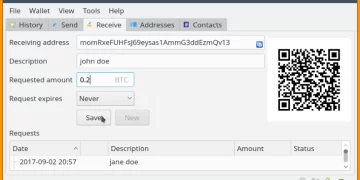
Once your new wallet is ready in Electrum, go back to your Mycelium app and click on the Receive tab followed by Encrypt/Decrypt . Hover over the Your Address bar at the top of the Electrum window and copy its Bitcoin address . Now go back to Mycelium and click on Scan QR Code .Copy the Bitcoin address shown and paste it into Electrum. The wallet will now be marked as unconfirmed so it’ll need to be confirmed before you can use it to make anonymous transactions. You’ll know it’s been accepted when the new status bar near Electrum says Pending .
Go back to Electrum (If you closed Tor browser, then start it again) and you can now make anonymous payments from your new wallet.
Step 5 – Using Mycelium in Tails
If you installed Tails on your computer, then you will have created a new anonymous wallet there too so we won’t cover that in this guide. If you’re not sure how to do that, then carry out the steps in this guide and read on. If your computer is running Windows, then you just need to go to your Control Panel and select System and Security > Action Centre > Add-ons , select Get Add-ons… and install the Bitcoin Tails package. When installed, you’ll see a new icon in your Start menu. Double click on it to launch it.